About FoldNets
A remake of a program from the school computer lab
In the 1990s, in elementary school, I played a Windows program that let you design 3D shapes on screen and then printed them as paper nets with glue tabs. You cut them out, folded them up, and held the thing you had just designed.
FoldNets is that idea rebuilt for the browser: free, nothing to install, no sign-up. It turns out the original still exists. It was called TABS+, and this page is a look at what it was, and at what FoldNets kept and changed.
The original · Aspex Software · 1995–1997
It was called TABS+
I had remembered it as a DOS-era program with a name like “TABS”. The name was right; the platform wasn't. TABS+ is a Windows 3.1 program, made by Aspex Software and licensed to Ontario schools.
A copy is preserved on the Internet Archive, and it still runs on a modern PC under Wine, which is how the screenshots on this page were taken.
- Version
- TABS+ v1.30 for Windows. tabs.exe is dated 25 February 1997; the 12 sample models are from early 1996.
- Made by
- Tim Humphries of Aspex Software. The Windows version is by Colin Jack of Oxford Mathematical Designs. (Both names come from the program's own credits text.)
- Licensed to
- The Ontario Ministry of Education and Training, for Ontario schools and faculties of education. The licence file in the archive is registered to The Knowledge Tree in Toronto.
- Platform
- A 16-bit Visual Basic program for Windows 3.x.

Building a part
Every part was a primitive you drew
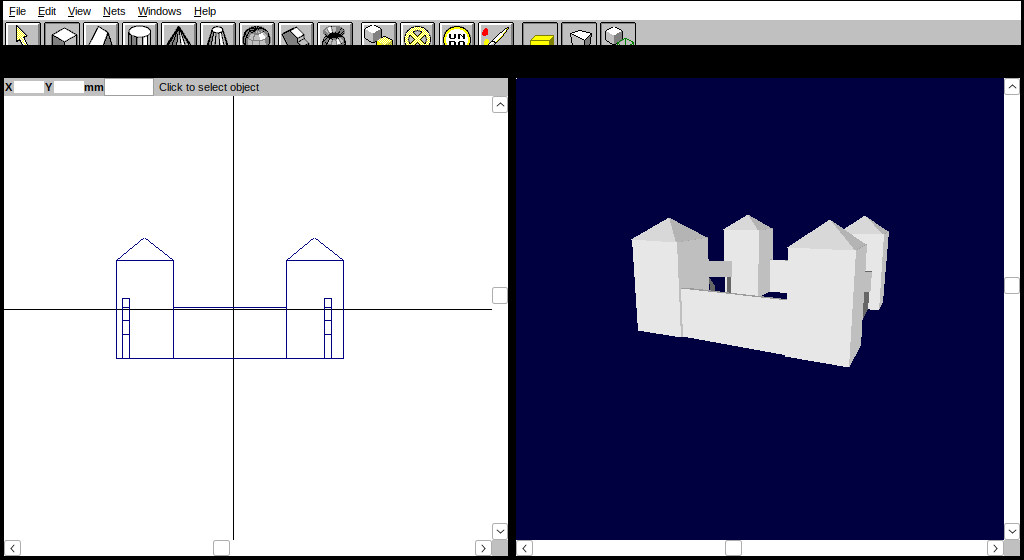
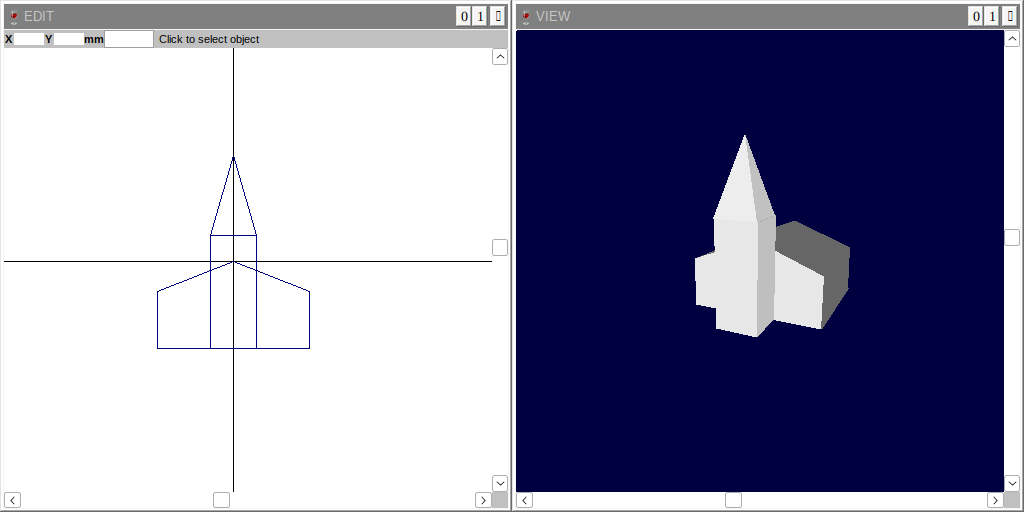
There was no list of ready-made shapes. The toolbar offered eight primitives: cuboid, wedge, cylinder, cone, funnel, sphere, extrude and sweep. You picked one and followed the prompts in the status bar: drag out the front face in the flat EDIT window, then the window swings round to a side view so you can set the depth. Each part stays wherever you put it, so a model is just a collection of parts. The castle sample is 12 of them; the Enterprise is 14.
Extrude gives a profile you draw some depth, and Sweep spins a profile round like a lathe. The wedge does more than its name suggests: its ridge width turns a tent shape into a hip roof, and a ridge of zero makes a pyramid. The castle's four tower roofs and the church spire are all wedges.
The nets part
One template per primitive, laid out by hand
TABS+ didn't unfold a model as a whole. Each part got its own net, and each primitive had a fixed recipe: a cuboid is always the same cross, a cylinder always the same strip with loose caps. Placing those nets on paper was your job. You opened the NETS window, clicked Next Net, and the next part's net stuck to the pointer as a red outline. You steered it over a page, turned it with the arrow keys, and clicked to drop it, until the program said “There are no more nets to place”. Where you dropped each net was saved inside the model file.
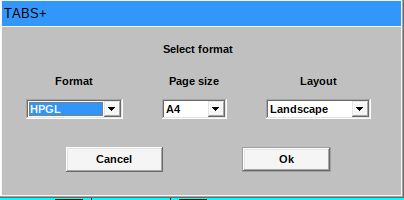
Nets went to the printer or to a file. The two file formats were HPGL, the language of pen plotters, and DXF for CAD programs, on paper from A4 up to A0. A Print → Square command printed a test square that, in the program's words, “should measure exactly 100 mm on each side”, so you could check the printer's scale before printing a class's worth of nets.
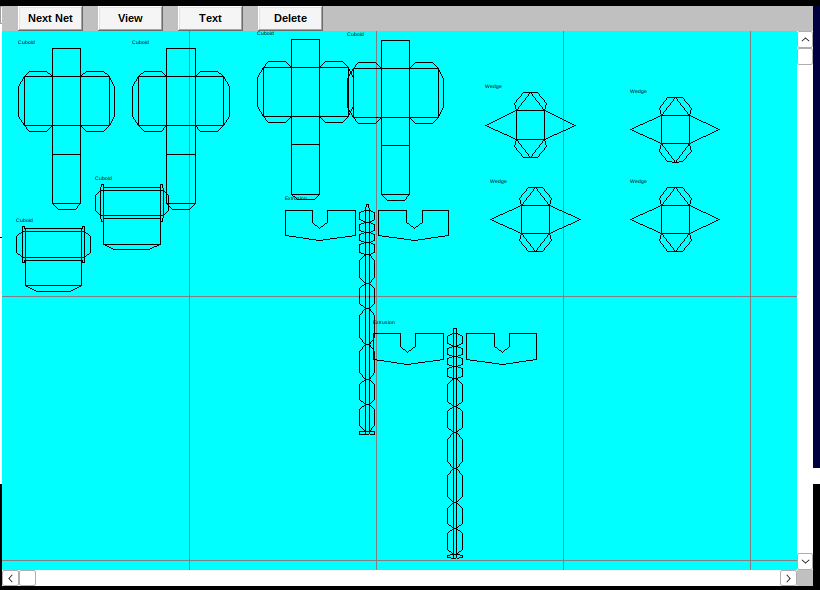
What a TABS+ net looked like
- Curves are always faceted, 12 sides by default, so a paper cylinder or cone is a polygon, never a smooth curve.
- Cut lines and fold lines are drawn identically, as solid black. You have to know which ones to cut.
- No face numbers or matching marks. The only label is the primitive's name, such as “Cuboid”.
- Tabs are fixed. There is no setting for their style or size anywhere in the menus.
- A model is many separate nets. You build each part, then glue the parts together.
Side by side
Same shape, two programs
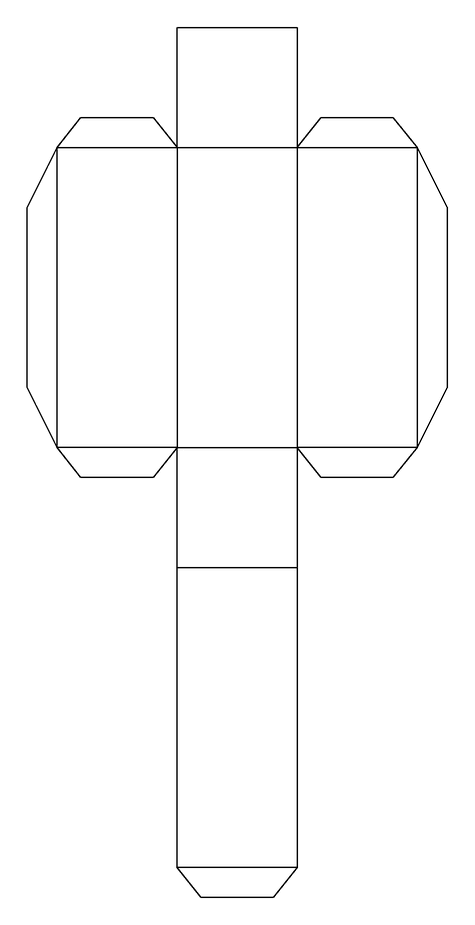
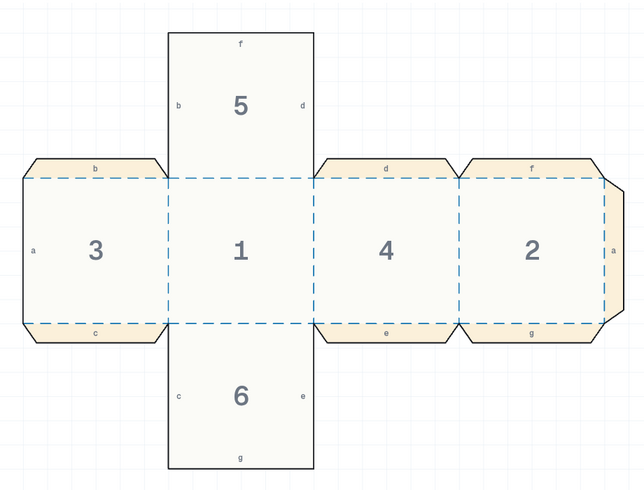
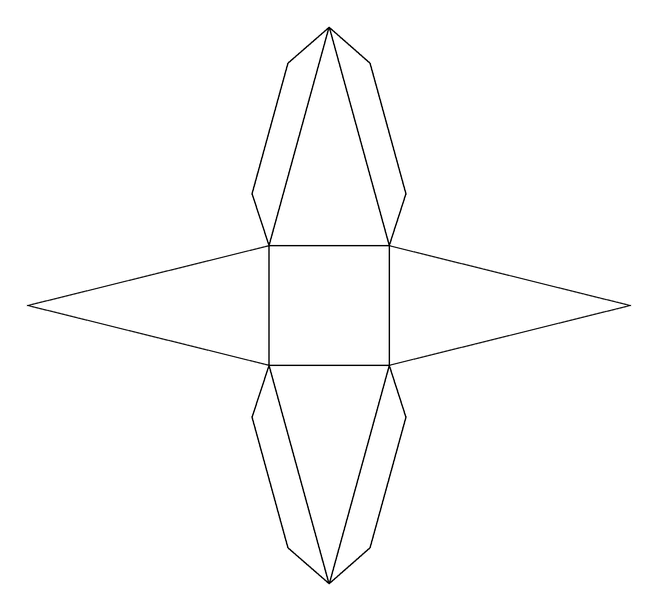
Left: nets printed by TABS+ to DXF files and drawn at high resolution, so these are its exact lines rather than screenshots. Right: the same shape in FoldNets. Select a picture to open it full size.
Cube
Both use a cross with seven tabs, one per seam. FoldNets adds face numbers, letters that pair each tab with its edge, dashed folds and tinted tabs.
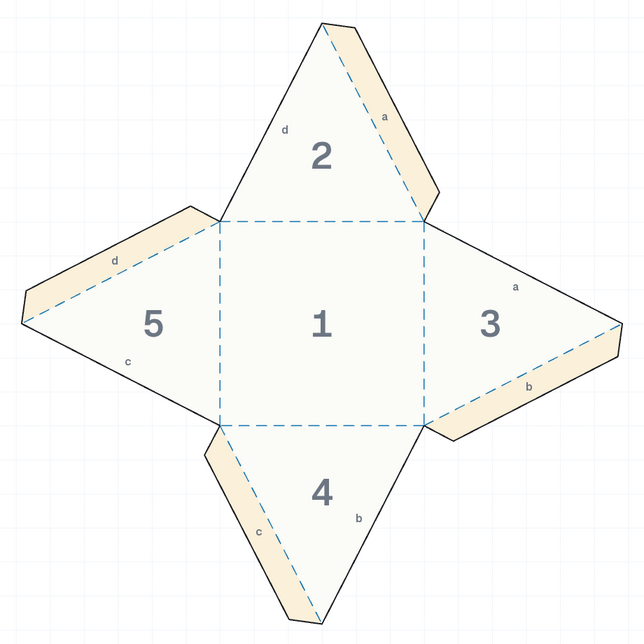
Square pyramid
Same layout, four tabs each. TABS+ puts both tabs on each of two opposite triangles; FoldNets gives every triangle one tab, in a pinwheel.
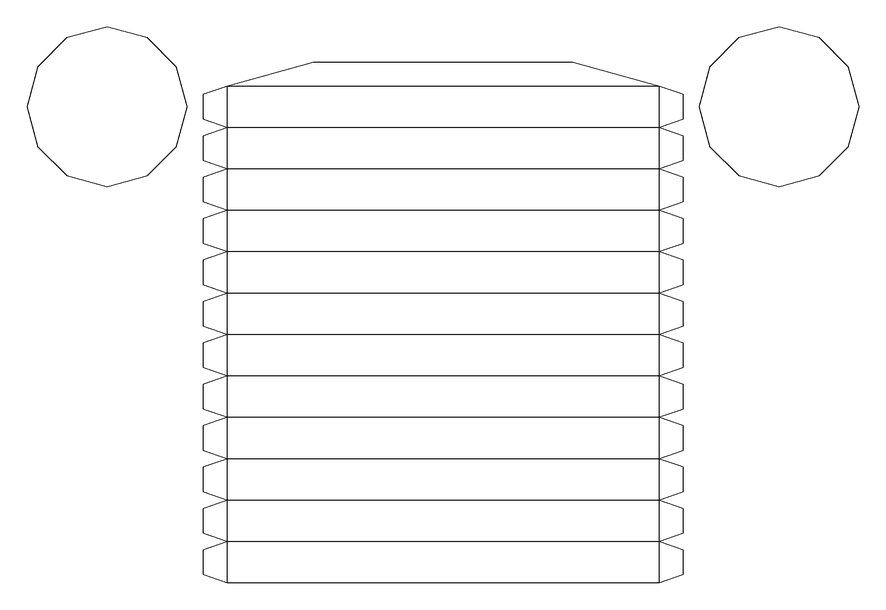
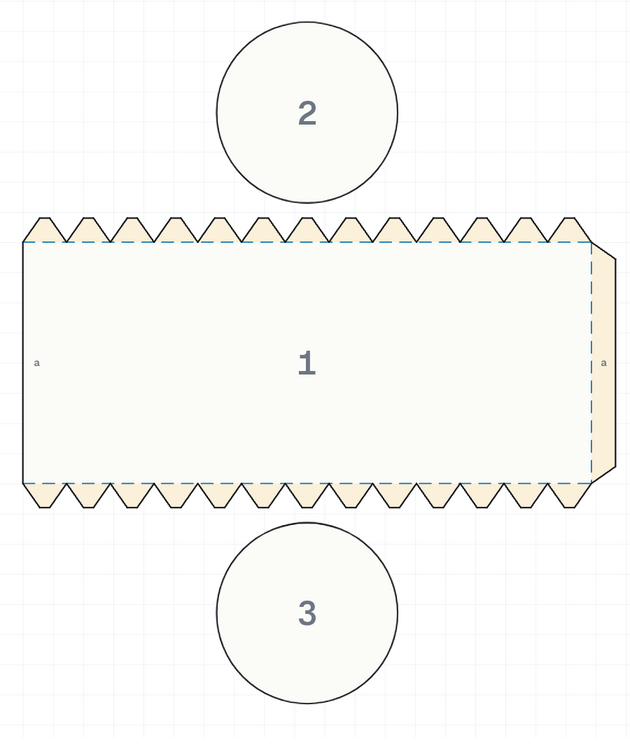
Cylinder
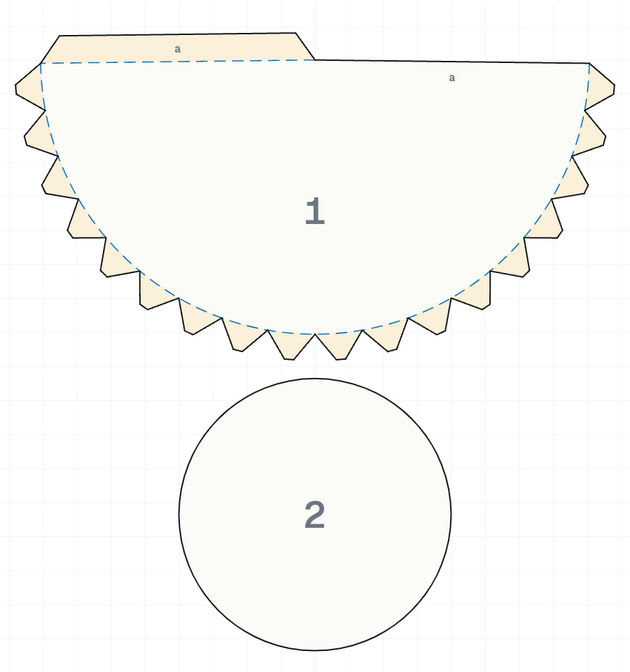
Both cut the caps as separate pieces and glue them on with tabs from the wall. TABS+ folds the wall into 12 flat panels; FoldNets wraps one smooth sheet with a row of small rim tabs.
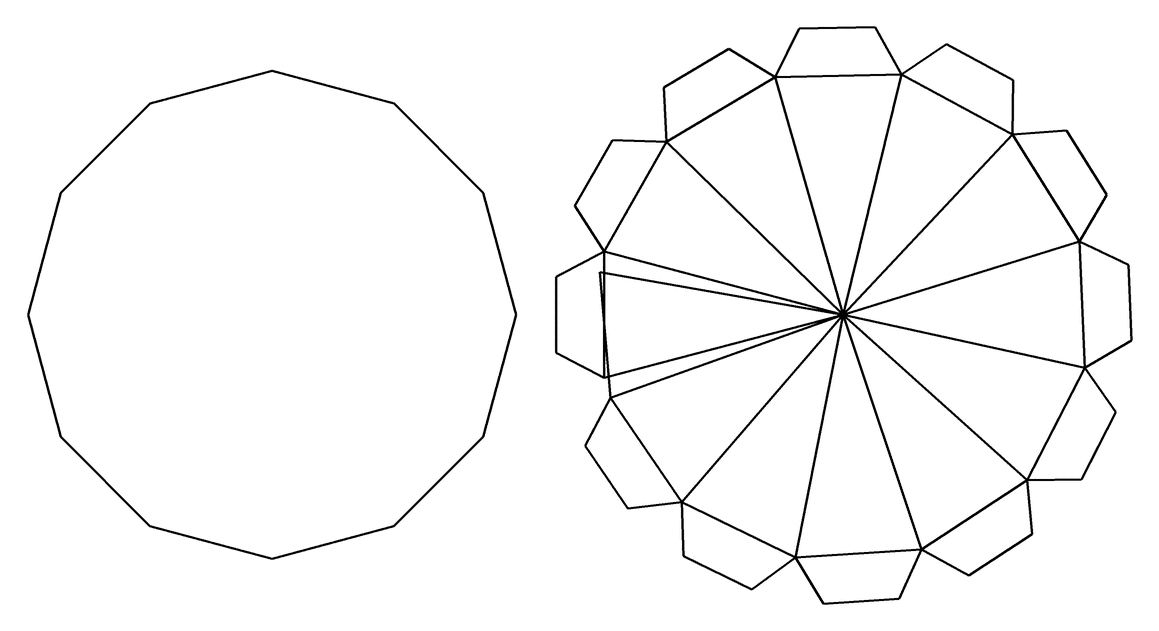
Cone
TABS+ builds the cone from 12 flat triangles. FoldNets rolls a true circular sector and closes it with one seam tab.
The rest of the set
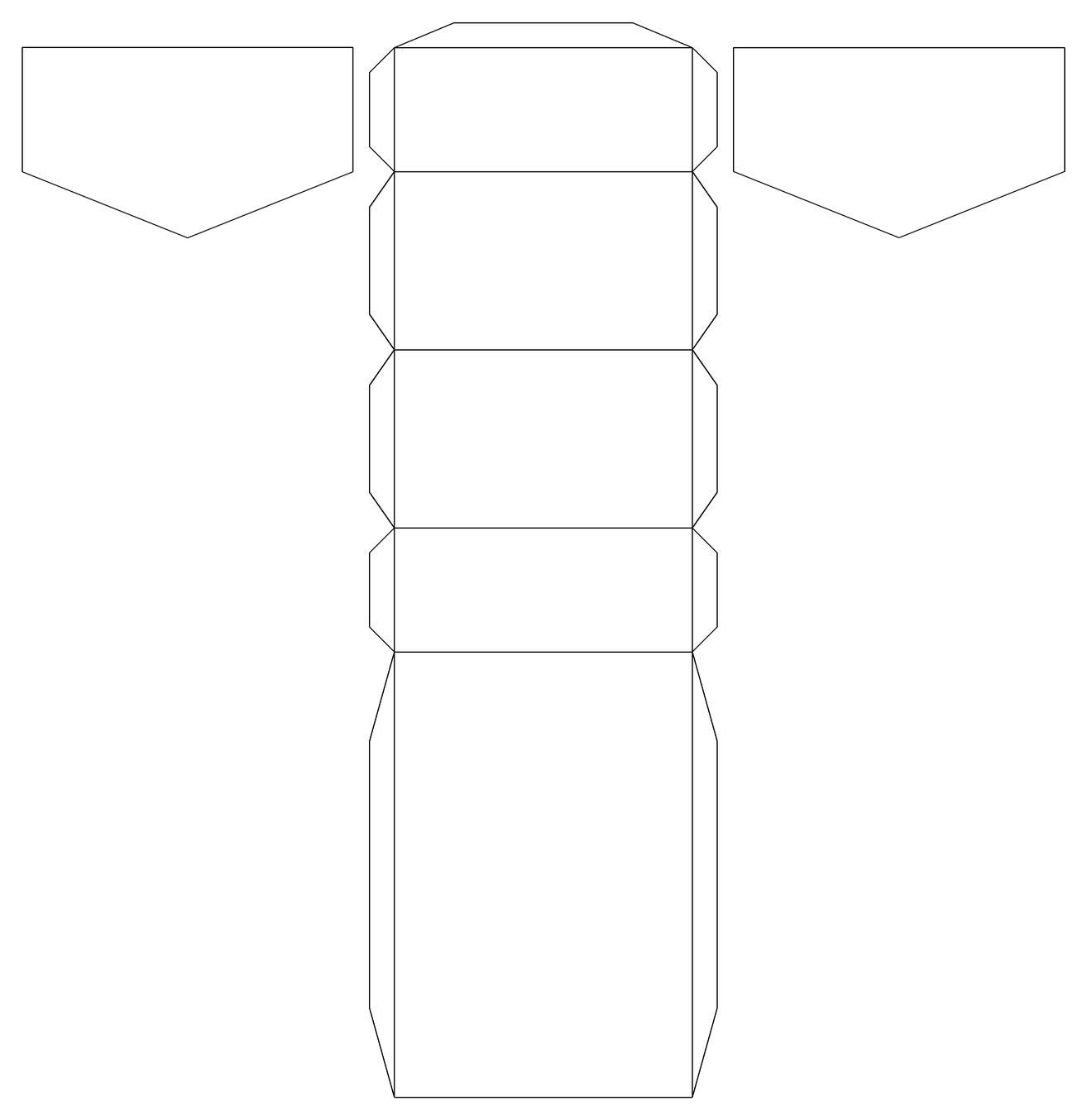
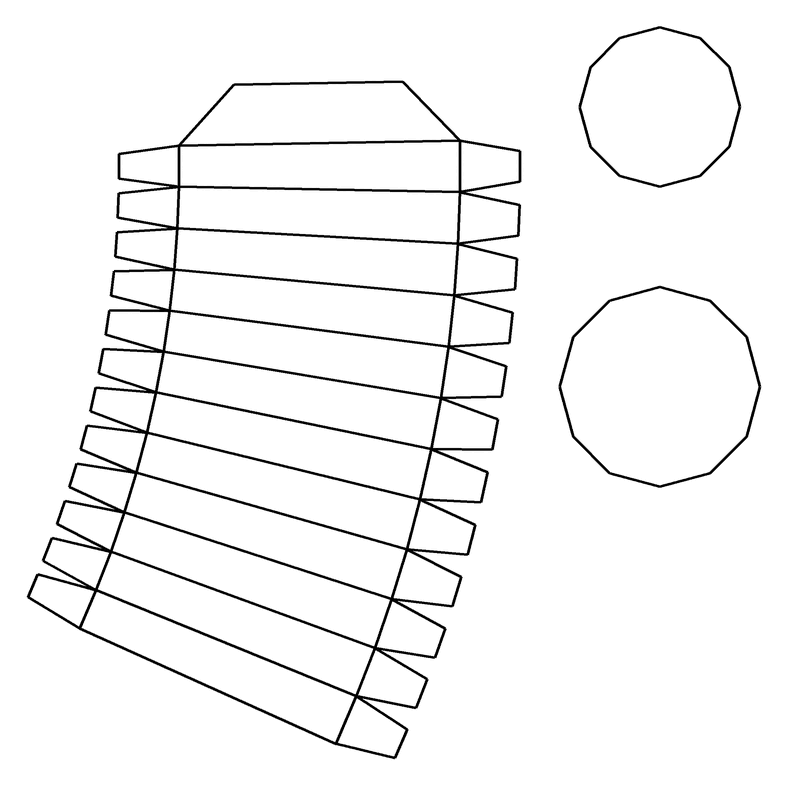
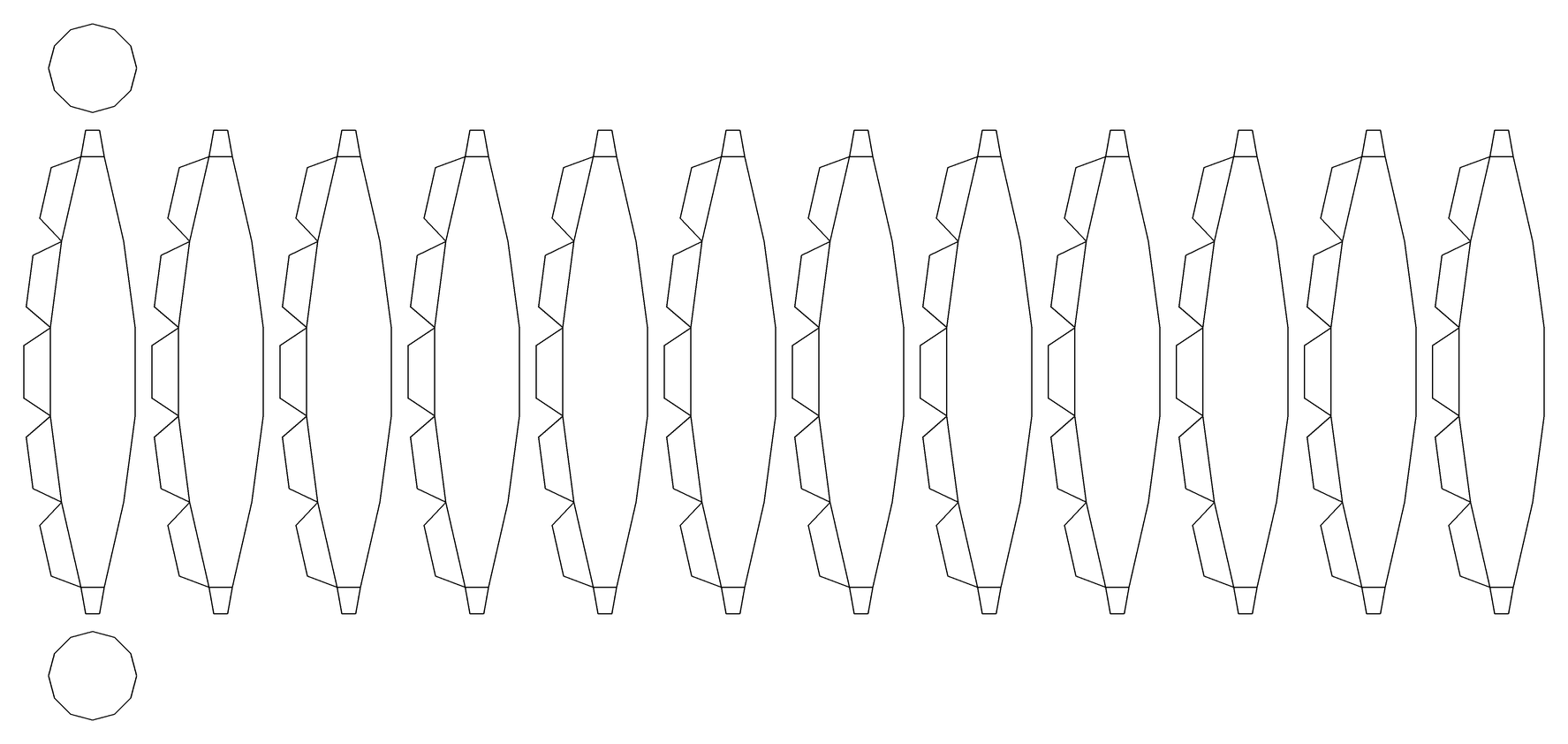
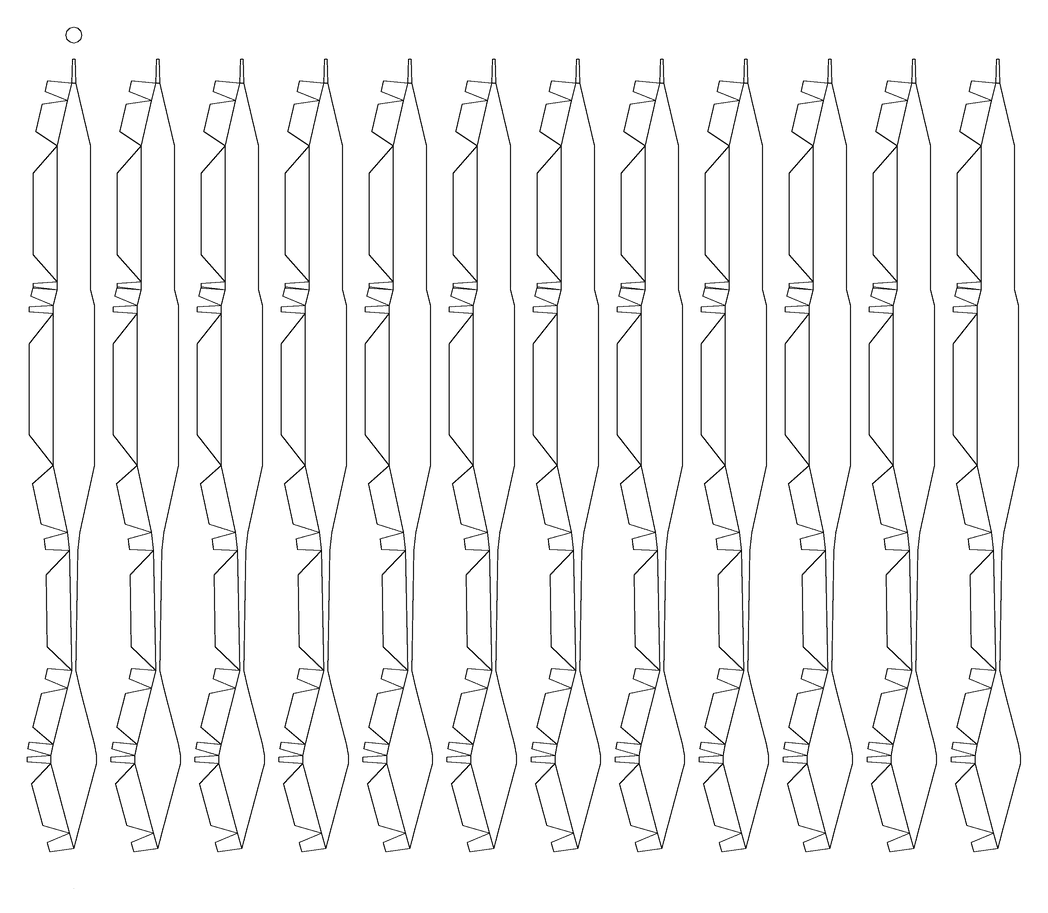
Four more TABS+ templates
Also drawn from TABS+'s own DXF files. These are the primitives that haven't appeared above.
Same and different
What carried over, and what changed
The core loop is the same: build a 3D model, get printable nets with glue tabs, then cut, fold and glue. Specifically, these all carried over:
- One net per part, with the parts glued together afterwards.
- Trapezoid tabs, one per seam.
- Cylinder caps cut as loose pieces, held on by tabs from the wall.
- Real-world units and true-scale printing.
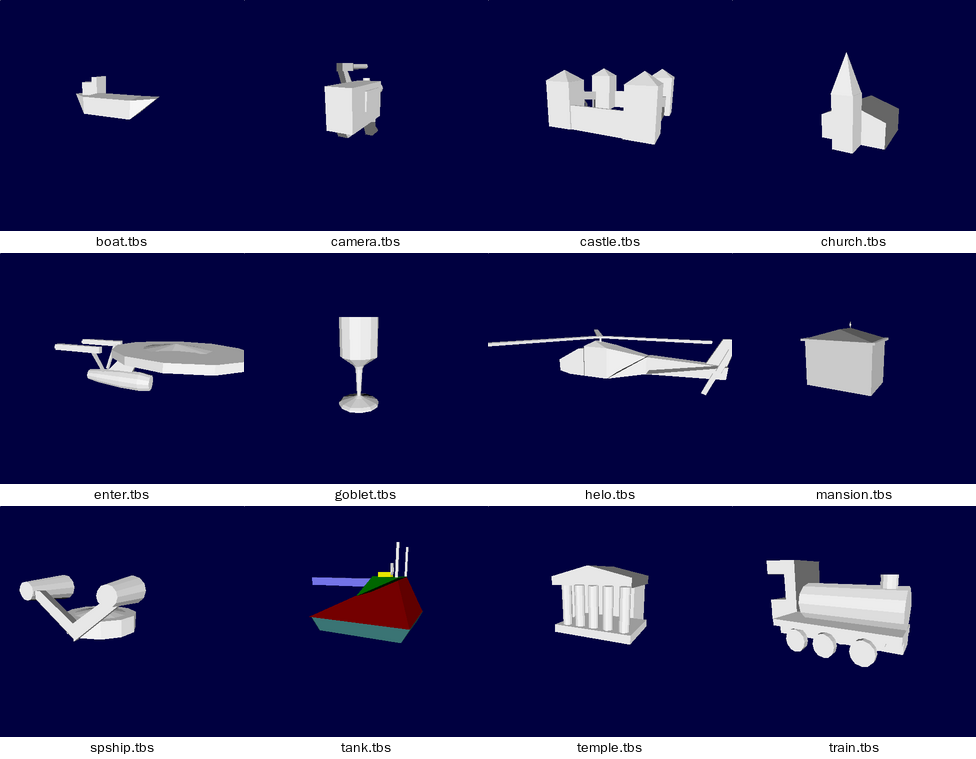
- Even the subjects: a castle and a church are TABS+ samples and FoldNets Builds, and the other ten samples (the steam train, boat, helicopter, tank, spaceship, starship, temple, mansion, film camera and goblet) are Builds too, rebuilt part for part from their .tbs files.
| Topic | TABS+ (1997) | FoldNets |
|---|---|---|
| Where it runs | Windows 3.1 PCs in Ontario school labs, installed from disk under a Ministry licence. | Any browser. Free, with no sign-up. |
| Making a shape | Draw primitives with the mouse in a front view, in millimetres, then set depth in a side view. Any number of parts, placed anywhere. | Pick a shape and set its size with sliders. The Extrude tab is a big grid in a front view: draw as many outlines as a model needs, then give each a depth and a place front to back. Custom builds combine any number of parts, slid, lifted, turned and stacked anywhere. Free-form lets you drag corners. |
| Shapes | Cuboid, Wedge (prism, hip roof or pyramid), Cylinder, Cone, Funnel, Sphere, Extrude (your own profile), Sweep (a lathe: any profile spun round). | Cube, rectangular, triangular, pentagonal and hexagonal prisms; square, triangular and hexagonal pyramids; truncated pyramid; octahedron; cylinder; cone; sphere; wedge (a ridge over a box: pyramid, hip or gable roof, lean-to, bow); sweep (a profile spun round, with vase, bowl and goblet presets). The Extrude tab pushes out any outline you draw, several to a model, with house, car, rocket and tree starters and ready-made squares, circles, stars, arrows, letters and hearts. Free-form adds box, wedge, pyramid, octahedron, gem and icosahedron starting shapes. |
| Curves | Faceted into flat panels, 12 by default. | Smooth on cylinders and cones: a true rectangle or sector, with small rim tabs. The sphere and sweep are flat-panelled gores, as in TABS+. |
| Unfolding | A fixed template per primitive. | A template per preset shape. Free-form uses a general unfolder that merges flat faces, grows the net face by face, and only splits it where it would overlap. |
| Tabs | Trapezoids, one per seam. No settings. | Trapezoid or rectangle, with adjustable depth and angle. |
| Lines and labels | Every line solid black. Each net is labelled with its primitive's name. | Cut lines solid, folds dashed, tabs tinted. Faces numbered, and letters pair each tab with its edge. Edge lengths optional. |
| Pages | You place each net by hand, turn it, and drop it on a page. You can add text or a picture of the 3D view. The layout is saved with the model. | Automatic: fit to page or real size. Big pieces split across sheets, small nets share a sheet. Class sets print with student names. |
| Output | Printer, or HPGL/DXF files for plotters and CAD, from A4 to A0. A 100 mm test square. | Vector PDF on Letter or A4, in cm or inches. Real-size sheets carry a size-check ruler. |
| Decoration | One colour per part, shown in the 3D view. | Stamps (doors, windows and more) and paint for each face, printed on the net. |
| Saving | Plain-text .tbs files. | Saved designs in the browser, and share links. |
Inside the files
A model is a short list of numbers
A .tbs file is plain text: a header number, 1645, then one record per part.
For the curious: read a record, field by field
Here is a cuboid, saved by TABS+ and written on one line:
"Cuboid" 255 255 255 -58 56 10 0 0 0 3 9 6 12 12 0 10 28 40 0 156 129 42 -36 -24
- "Cuboid"
- The primitive type.
- 255 255 255
- Colour as red, green, blue (white).
- -58 56 10
- Position in millimetres.
- 0 0 0
- Probably rotation; every sample has zeros here.
- 3 9 6 12 12 0
- Mesh sizes: 3 dimension values, 8 corners (stored as 9), 6 faces, 12 edges, 12 sides for round shapes, 0 bands. A sphere reads 12, 73, 62, 132, 12, 5.
- 10 28 40
- Net counts. The last is the number of lines in the net: the sphere's says 420, and its DXF file has exactly 420 lines. The other two aren't pinned down.
- 0 156 129
- Where the net sits on the sheet, in mm. An unplaced net stores -32760.
- 42 -36 -24
- Width, height and depth. A wedge adds ridge position and ridge width; a sphere or sweep stores its profile as pairs of points.
All the program's words live in a file called t.x: menus, prompts, help pages and credits, scrambled by XOR-ing every byte with 10. The DXF files it writes are AutoCAD R10 drawings made only of straight LINE entities, measured in millimetres.
Small finds
- The Enterprise sample is built from cylinders, cones and funnels, with a 12-sided saucer.
- The program's text file has messages for two other editions: a demo that “will not save or print”, and a loan copy that announces “This copy of TABS+ is on loan from …”.
- In the View window, Tumble sets the model spinning until you click.